We build the schedule
We turn your drawings, specs, milestones, and team input into a baseline schedule.
Managed construction scheduling
CritPath builds the baseline, runs the updates, catches drift early, and develops recovery plans, so your project managers and superintendents can run the job without becoming schedulers.
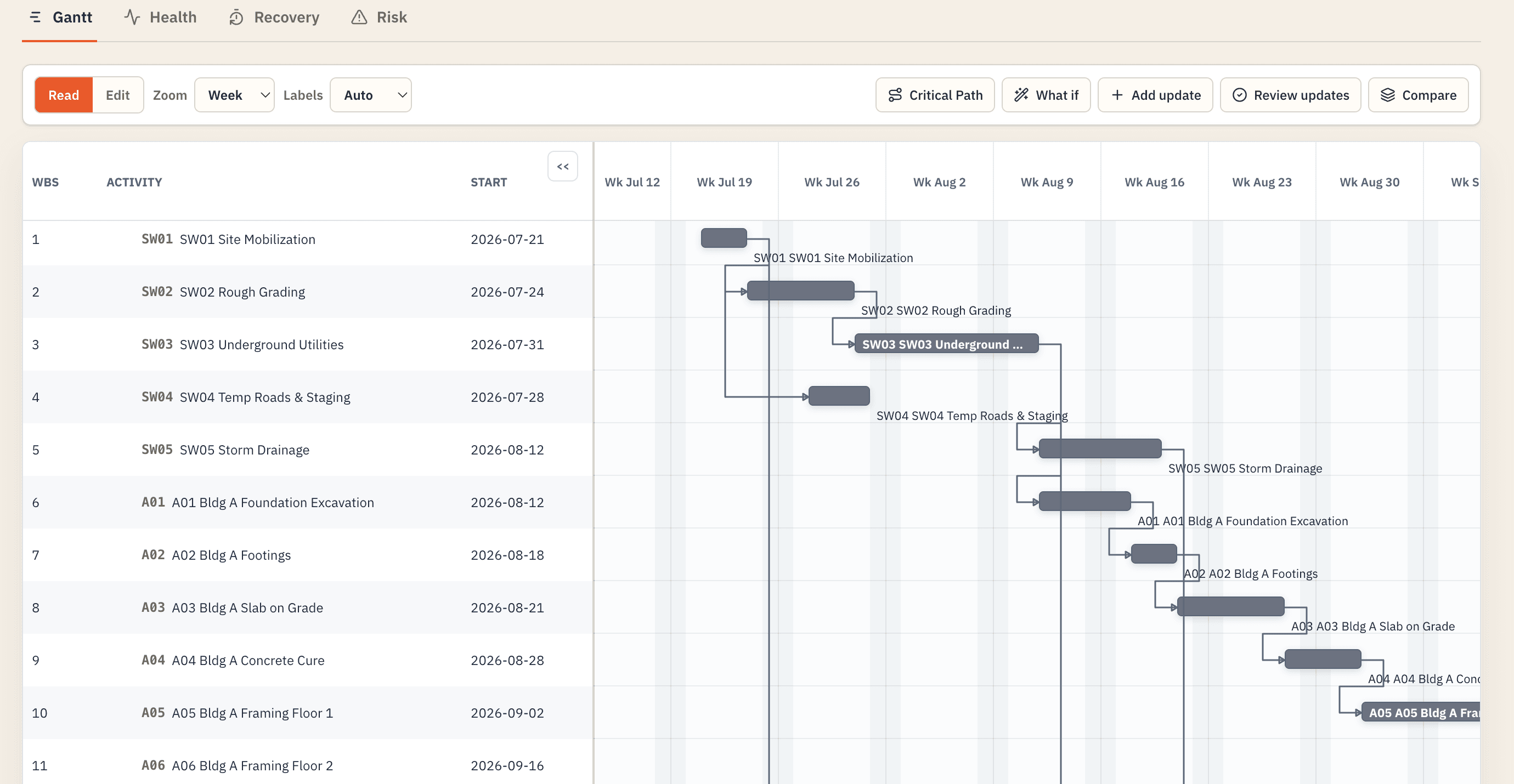
How delays really start
It falls behind reality a few days at a time. Field conditions change. Updates wait. Small misses get explained away. Procurement and trade commitments keep following yesterday's plan.
By the time the monthly report shows a late finish, the least expensive recovery moves are gone.
How CritPath manages your schedule
We turn your drawings, specs, milestones, and team input into a baseline schedule.
We collect progress, update dates and logic, and catch small misses before they compound.
We assess how delays affect the schedule and develop practical recovery options.
How it works
CritPath fits the way construction teams already work. No forms or new scheduling software for the field.
Your effortA quick field update by SMS or voice note.
Our jobKeep the schedule current and flag what needs attention.
Drawings, specifications, milestones, and any existing P6 or MS Project file.
Share progress, changes, and decisions. CritPath processes the update, revises the schedule, and flags what needs attention.
You receive the current schedule, what changed, what needs attention, and recovery options when needed.
The recurring deliverable
A clear weekly package that connects schedule logic to decisions.
Native schedule file, updated logic, dates, and progress.
Critical-path movement, new constraints, and near-term risks.
Clear actions for the PM, superintendent, and affected trades.
Practical ways to regain time, with tradeoffs made explicit.
Prevents a 3-day hit to drywall start.
Current lead time reaches the near-critical path this week.
One added crew protects the turnover sequence.
Why earlier matters
CritPath helps teams surface schedule risk early, while there is still time to act.
“On our larger projects, a month of delay means six figures in general conditions.”
Built for the gap
✓ For commercial and multifamily GCs running multiple projects
✓ For teams without enough dedicated scheduling capacity
✓ For project managers and superintendents who need the schedule to help, not create another job
✓ Human-reviewed, with native schedule files and a clear change record
Questions
It is a managed scheduling service delivered by construction schedulers and purpose-built AI. CritPath owns the scheduling work; the software makes that work faster, more consistent, and easier to review.
Your PM and superintendent provide project context, progress, and decisions. CritPath turns those inputs into schedule updates, impact analysis, and recovery options for your team to approve.
That is the intent. CritPath is designed to work with the schedule files and project workflows your team already uses instead of forcing the field into another complicated scheduling tool.
Yes, as a managed engagement. CritPath uses project documents, milestones, team input, reusable construction knowledge, and scheduler review to produce a defensible baseline.
Project files are treated as confidential and used only to provide CritPath’s services. Access is limited to authorized team members working on your project. We do not sell your data or share it for marketing or unrelated purposes.
Start with one project
Within 48 hours, we identify logic gaps, missing dependencies, and practical opportunities to save time and reduce project costs.
Book a schedule review